Planet Simulator
在這一章,我們會跟據之前的萬有引力和行星的軌道特徵,製作一個簡單的行星模擬器。
[toc]
0. 初始化
planetSimulator.pyde
from Planet import *

sun = earth = None
planets = []

def setup():
    size(800, 800)

    frameRate(60)

    sun = Planet(PVector(0, 0), 30, "#FFA500", 1.98892e30)
    sun.isSun = True

    earth = Planet(PVector(-1*Planet.AU, 0), 16, "#001EFF", 5.972e24)

    planets.append(sun)
    planets.append(earth)

def draw():
    background(30)

    for planet in planets:
planet.draw()Planet.py
class Planet:
    AU = 149597870700.0 # AU is the astronomical unit, in meters
    G = 6.67408e-11 # G is the gravitational constant, in m^3 kg^-1 s^-2
    SCALE = 250.0 / AU # 250pixel/AU
    TIMESTEP = 3600.0*24.0 # 1 day, timestep in seconds

    def __init__(self, position, radius, color, mass):
        self.position = position
        self.radius = radius
        self.color = color
        self.mass = mass

        self.isSun = False
        self.distanceToSun = 0

    def draw(self   ):
        x = self.position.x * self.SCALE + width/2
        y = self.position.y * self.SCALE + height/2

        fill(self.color)
        ellipse(x, y, self.radius*2, self.radius*2)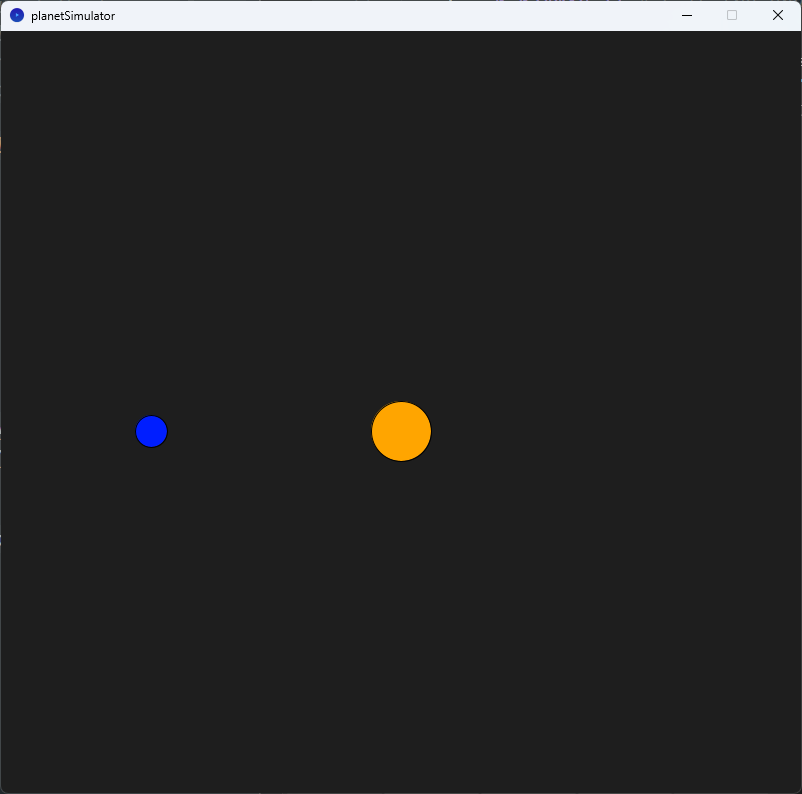
這兩段程式碼的要點包括:
第一段程式碼:
- 引入
Planet類別。 - 創建太陽和地球物件。
- 設定畫布尺寸和幀率。
- 將太陽和地球物件加入
planets列表。 - 在
draw函式中,設定畫布背景為黑色。 - 遍歷
planets列表中的每個行星物件,並呼叫其draw方法繪製行星。
第二段程式碼:
- 定義
Planet類別。 - 屬性包括位置、半徑、顏色和質量。
- 輔助屬性包括
isSun和distanceToSun。 draw方法計算並繪製行星的圓形表示。
程式碼的目的是創建和模擬太陽系中的行星運動。
1. 增加其他行星
planetSimulator.pyde
from Planet import *

sun = earth = mars = mercury = venus = None
planets = []

def setup():
    size(800, 800)

    frameRate(60)

    sun = Planet(PVector(0, 0), 30, "#FFA500", 1.98892e30)
    sun.isSun = True

    earth = Planet(PVector(-1*Planet.AU, 0), 16, "#001EFF", 5.972e24)
    mars = Planet(PVector(-1.524*Planet.AU, 0), 12, "#FF1E00", 6.39e23)
    mercury = Planet(PVector(0.387*Planet.AU, 0), 8, "#AAAAAA", 3.285e23)
    venus = Planet(PVector(0.723*Planet.AU, 0), 10, "#FFFF00", 4.867e24)

    planets.append(sun)
    planets.append(earth)
    planets.append(mars)
    planets.append(mercury)
    planets.append(venus)

def draw():
    background(30)

    for planet in planets:
        # planet.updatePos(planets)
planet.draw()Planet.py
class Planet:
    AU = 149597870700.0 # AU is the astronomical unit, in meters
    G = 6.67408e-11 # G is the gravitational constant, in m^3 kg^-1 s^-2
    SCALE = 250.0 / AU # 250pixel/AU
    TIMESTEP = 3600.0*24.0 # 1 day, timestep in seconds

    def __init__(self, position, radius, color, mass):
        self.position = position
        self.radius = radius
        self.color = color
        self.mass = mass

        self.isSun = False
        self.distanceToSun = 0

    def draw(self):
        x = self.position.x * self.SCALE + width/2
        y = self.position.y * self.SCALE + height/2

        fill(self.color)
        noStroke()
        ellipse(x, y, self.radius*2, self.radius*2)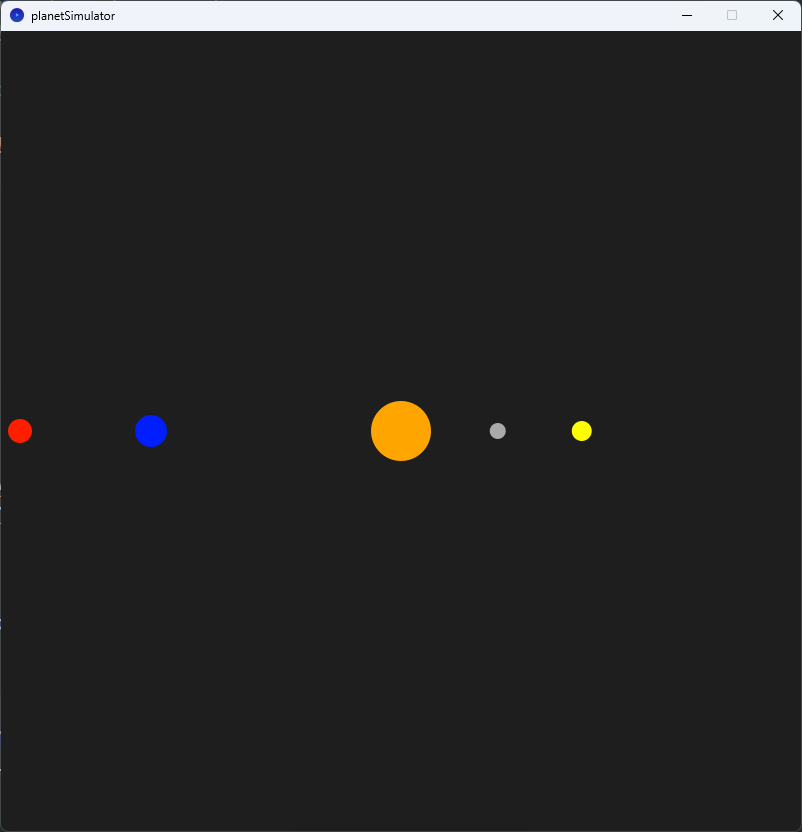
這兩段程式碼與之前相比增加了以下內容:
在planetSimulator.pyde中:
- 創建了額外的行星物件,包括火星(Mars)、水星(Mercury)和金星(Venus)。
- 將火星、水星和金星物件加入
planets列表。
在Planet.py中:
- 在
Planet類別中沒有新增任何功能,只有保留了之前的屬性和方法。
這些變更使得模擬器能夠模擬更多的行星運動,不僅僅是太陽和地球。現在,模擬器可以同時模擬太陽、地球、火星、水星和金星的運動。每個行星都有其自己的位置、半徑、顏色和質量,並且根據這些屬性在畫布上繪製圓形表示。
2. 增加引力
planetSimulator.pyde
from Planet import *

sun = earth = mars = mercury = venus = None
planets = []

def setup():
    size(800, 800)

    sun = Planet(PVector(0, 0), 30, "#FFA500", 1.98892e30)
    sun.isSun = True

    earth = Planet(PVector(-1*Planet.AU, 0), 16, "#001EFF", 5.972e24)
    mars = Planet(PVector(-1.524*Planet.AU, 0), 12, "#FF1E00", 6.39e23)
    mercury = Planet(PVector(0.387*Planet.AU, 0), 8, "#AAAAAA", 3.285e23)
    venus = Planet(PVector(0.723*Planet.AU, 0), 10, "#FFFF00", 4.867e24)

    planets.append(sun)
    planets.append(earth)
    planets.append(mars)
    planets.append(mercury)
    planets.append(venus)

def draw():
    background(30)

    for planet in planets:
        planet.updatePos(planets)
planet.draw()Planet.py
class Planet:
    AU = 149597870700.0 # AU is the astronomical unit, in meters
    G = 6.67408e-11 # G is the gravitational constant, in m^3 kg^-1 s^-2
    SCALE = 250.0 / AU # 250pixel/AU
    TIMESTEP = 3600.0*24.0 # 1 day, timestep in seconds

    def __init__(self, position, radius, color, mass):
        self.position = position
        self.radius = radius
        self.color = color
        self.mass = mass

        self.isSun = False
        self.distanceToSun = 0

        self.velocity = PVector(0, 0)

    def draw(self):
        x = self.position.x * self.SCALE + width/2
        y = self.position.y * self.SCALE + height/2

        fill(self.color)
        noStroke()
        ellipse(x, y, self.radius*2, self.radius*2)

    def attraction(self, other):
        distance = PVector.dist(self.position, other.position)
        force = self.G * self.mass * other.mass / (distance * distance)
        direction = PVector.sub(other.position, self.position).normalize()
        if other.isSun:
            self.distanceToSun = distance
        return PVector.mult(direction, force)

    def updatePos(self, planets):
        if not self.isSun:
            force = PVector(0, 0)
            for planet in planets:
                if planet != self:
                    force = PVector.add(force, self.attraction(planet))
            acceleration = PVector.div(force, self.mass)
            self.velocity = PVector.add(self.velocity, PVector.mult(acceleration, self.TIMESTEP))
            self.position = PVector.add(self.position, PVector.mult(self.velocity, self.TIMESTEP))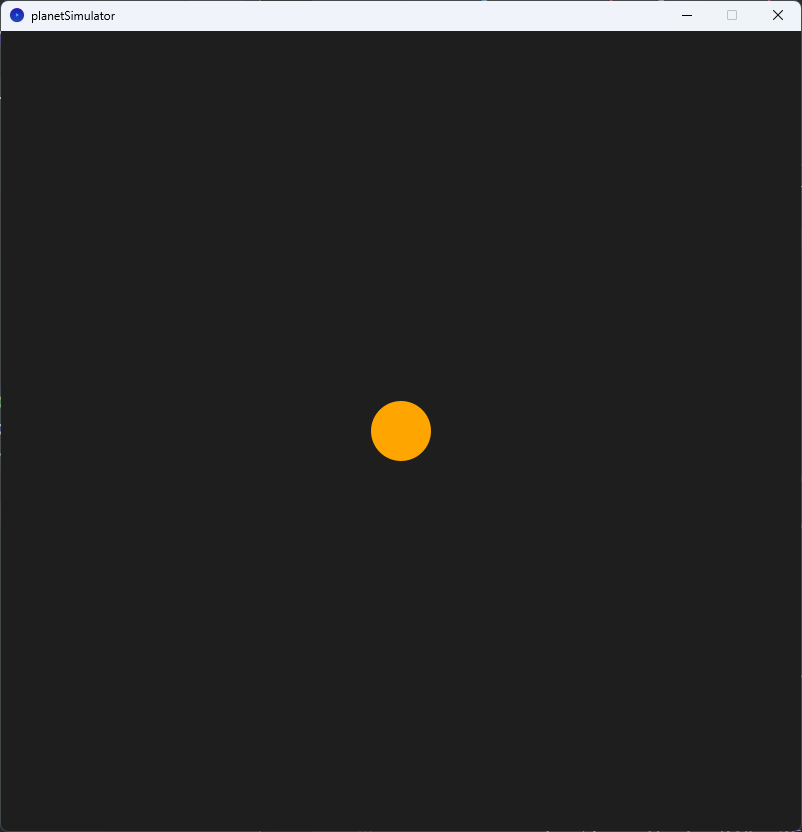
只見到一個太陽是正常的,因為程式一開始,所有行星已被太陽吸引相撞到太陽。
這兩段程式碼相較於之前的版本,新增了以下內容:
在planetSimulator.pyde中:
- 在
draw函式中,對planets列表中的每個行星物件呼叫updatePos方法,以計算行星的運動狀態。 - 在
Planet物件的創建過程中,為每個行星物件設置了初始速度(velocity),並將其設為(0, 0)。
在Planet.py中:
- 在
Planet類別中新增了attraction方法,用於計算行星之間的引力。 - 在
Planet類別中新增了updatePos方法,用於根據行星之間的引力更新行星的位置。 - 在
Planet類別的建構函式中,新增了velocity屬性,用於表示行星的初始速度。
在Planet.py中的attraction方法和updatePos方法的功能如下:
attraction方法:
attraction方法計算兩個行星物件之間的引力,並返回一個表示引力方向和大小的向量。- 首先,方法計算兩個行星物件之間的距離,使用
self.position.dist(other.position)計算兩個位置向量之間的歐氏距離。 - 接著,使用牛頓萬有引力定律計算引力的大小,公式為
force = self.G * self.mass * other.mass / (distance * distance),其中G是引力常數,self.mass和other.mass分別是兩個行星的質量。 - 然後,計算引力的方向,使用
direction = PVector.sub(other.position, self.position).normalize(),這個向量表示從self.position指向other.position的方向,並將其單位化。 - 如果
other行星是太陽,則將distance賦值給self.distanceToSun,以便在後續使用。 - 最後,返回引力向量,為
direction.mult(force),將方向乘以大小得到最終的引力向量。
updatePos方法:
updatePos方法用於更新行星的位置,根據行星之間的引力相互作用。- 首先,檢查行星是否為太陽,如果不是太陽,則進行以下計算:
- 創建一個初始為
(0, 0)的力(force)向量。 - 對於
planets列表中的每個行星物件(除了自身),呼叫attraction方法,計算與其他行星之間的引力,並將計算結果添加到force向量中。 - 根據牛頓第二定律,
force等於質量(self.mass)乘以加速度(acceleration),所以要計算加速度,需要將force除以自身的質量,即acceleration = force.div(self.mass)。 - 根據瞬時速度等於加速度乘以時間間隔(
self.velocity.add(acceleration.mult(self.TIMESTEP))),更新行星的速度。 - 根據速度等於位移乘以時間間隔(
self.position.add(self.velocity.mult(self.TIMESTEP))),更新行星的位置。
- 創建一個初始為
3. 自帶速度
planetSimulator.pyde
from Planet import *

sun = earth = mars = mercury = venus = None
planets = []

def setup():
    size(800, 800)

    sun = Planet(PVector(0, 0), 30, "#FFA500", 1.98892e30)
    sun.isSun = True

    earth = Planet(PVector(-1*Planet.AU, 0), 16, "#001EFF", 5.972e24)
    mars = Planet(PVector(-1.524*Planet.AU, 0), 12, "#FF1E00", 6.39e23)
    mercury = Planet(PVector(0.387*Planet.AU, 0), 8, "#AAAAAA", 3.285e23)
    venus = Planet(PVector(0.723*Planet.AU, 0), 10, "#FFFF00", 4.867e24)

    earth.velocity = PVector(0.0, 29780.0)
    mars.velocity = PVector(0.0, 24077.0)
    mercury.velocity = PVector(0.0, 47362.0)
    venus.velocity = PVector(0.0, 35020.0)

    planets.append(sun)
    planets.append(earth)
    planets.append(mars)
    planets.append(mercury)
    planets.append(venus)

def draw():
    background(30)

    for planet in planets:
        planet.updatePos(planets)
        planet.draw()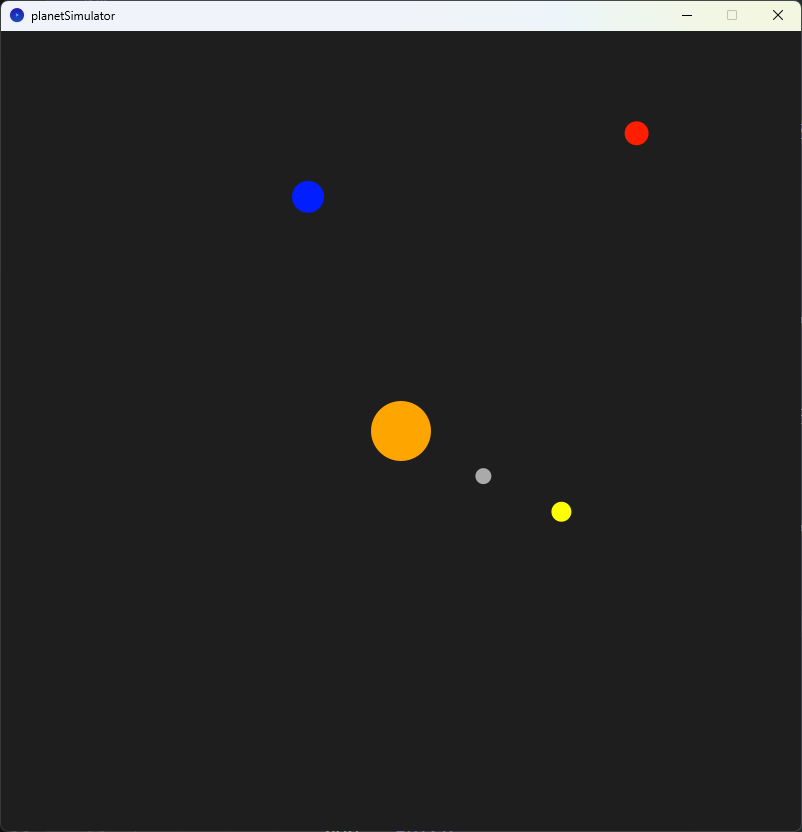
只要為每顆行星增加初速,就可以模擬到運行。
4. 加入軌道
Planet.py
class Planet:
    AU = 149597870700.0 # AU is the astronomical unit, in meters
    G = 6.67408e-11 # G is the gravitational constant, in m^3 kg^-1 s^-2
    SCALE = 250.0 / AU # 250pixel/AU
    TIMESTEP = 3600.0*24.0 # 1 day, timestep in seconds

    def __init__(self, position, radius, color, mass):
        self.position = position
        self.radius = radius
        self.color = color
        self.mass = mass

        self.isSun = False
        self.distanceToSun = 0

        self.velocity = PVector(0, 0)

        self.orbit = []

    def draw(self):
        x = self.position.x * self.SCALE + width/2
        y = self.position.y * self.SCALE + height/2

        self.orbit.append(PVector(x, y))
        stroke(self.color)
        noFill()
        beginShape()
        for point in self.orbit:
            vertex(point.x, point.y)
        endShape()

        fill(self.color)
        noStroke()
        ellipse(x, y, self.radius*2, self.radius*2)

    def attraction(self, other):
        distance = PVector.dist(self.position, other.position)
        force = self.G * self.mass * other.mass / (distance * distance)
        direction = PVector.sub(other.position, self.position).normalize()
        if other.isSun:
            self.distanceToSun = distance
        return PVector.mult(direction, force)

    def updatePos(self, planets):
        if not self.isSun:
            force = PVector(0, 0)
            for planet in planets:
                if planet != self:
                    force = PVector.add(force, self.attraction(planet))
            acceleration = PVector.div(force, self.mass)
            self.velocity = PVector.add(self.velocity, PVector.mult(acceleration, self.TIMESTEP))
            self.position = PVector.add(self.position, PVector.mult(self.velocity, self.TIMESTEP))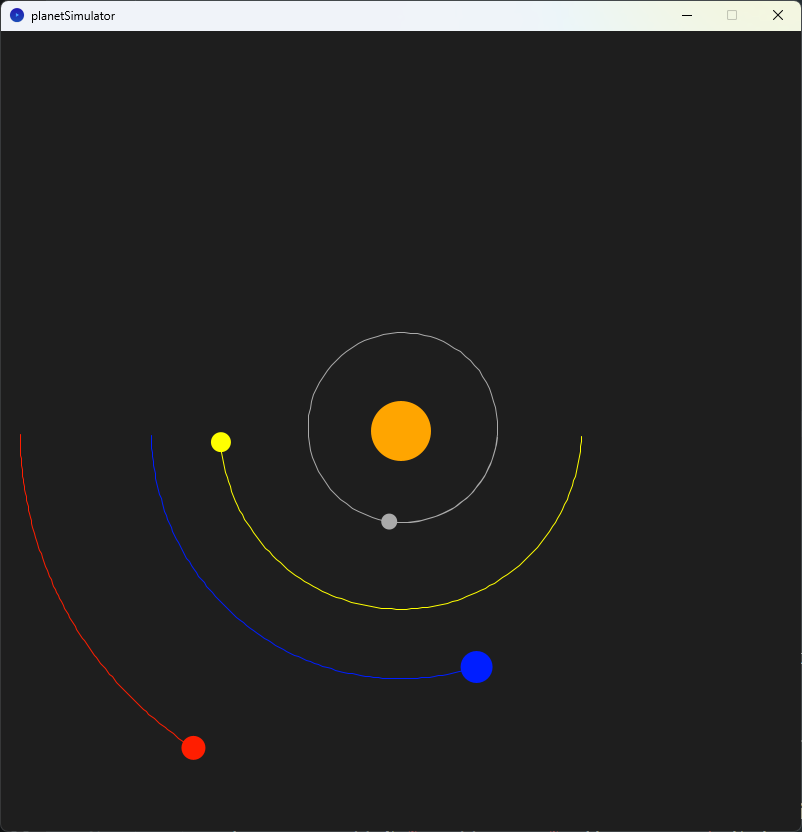
在
Planet類別的初始化新增:pythonself.orbit = []用來紀錄全部軌道的點。
在
draw功能中,新增:pythonself.orbit.append(PVector(x, y)) stroke(self.color) noFill() beginShape() for point in self.orbit: vertex(point.x, point.y) endShape()這段程式碼用於繪製行星的軌道。它將每個軌道上的點存儲在
self.orbit列表中,然後使用beginShape()、vertex()和endShape()函式來繪製軌道的形狀。5. 加入太陽到各行星的距離
Planet.py
class Planet:
AU = 149597870700.0 # AU is the astronomical unit, in meters
G = 6.67408e-11 # G is the gravitational constant, in m^3 kg^-1 s^-2
SCALE = 250.0 / AU # 250pixel/AU
TIMESTEP = 3600.0*24.0 # 1 day, timestep in seconds
def __init__(self, position, radius, color, mass):
self.position = position
self.radius = radius
self.color = color
self.mass = mass
self.isSun = False
self.distanceToSun = 0
self.velocity = PVector(0, 0)
self.orbit = []
def draw(self):
x = self.position.x * self.SCALE + width/2
y = self.position.y * self.SCALE + height/2
self.orbit.append(PVector(x, y))
stroke(self.color)
noFill()
beginShape()
for point in self.orbit:
    vertex(point.x, point.y)
endShape()
fill(self.color)
noStroke()
ellipse(x, y, self.radius*2, self.radius*2)
 textAlign(CENTER)
 text(nfc(self.distanceToSun,0), x, y-25)
def attraction(self, other):
distance = PVector.dist(self.position, other.position)
force = self.G * self.mass * other.mass / (distance * distance)
direction = PVector.sub(other.position, self.position).normalize()
if other.isSun:
self.distanceToSun = distance
return PVector.mult(direction, force)
def updatePos(self, planets):
if not self.isSun:
force = PVector(0, 0)
for planet in planets:
if planet != self:
force = PVector.add(force, self.attraction(planet))
acceleration = PVector.div(force, self.mass)
self.velocity = PVector.add(self.velocity, PVector.mult(acceleration, self.TIMESTEP))
self.position = PVector.add(self.position, PVector.mult(self.velocity, self.TIMESTEP))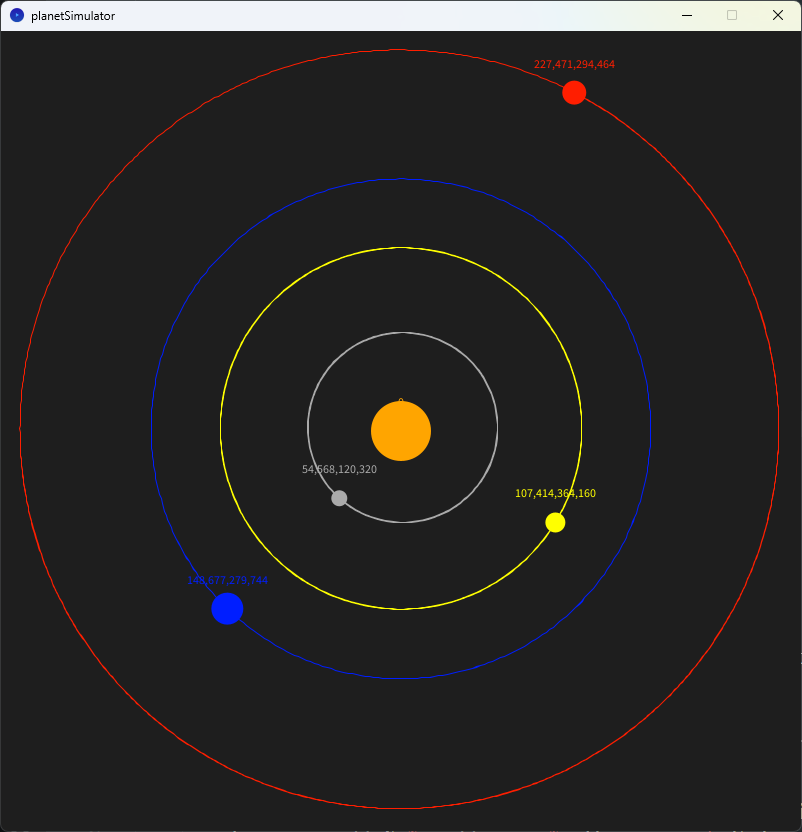
在draw()的最後,加入:
textAlign(CENTER)
text(nfc(self.distanceToSun,0), x, y-25)nfc() 函式用於將數值轉換為指定小數位數的字串。在這個程式碼中,它將 self.distanceToSun 的值轉換為小數點後0位的字串。然後,text() 函式用於在位置 (x, y-25) 繪製這個字串。
從結果你可以發現,行星的半徑並不是固定的,行星的軌道並不是圓型。