Maze generation
迷宮生成演算法是一種用於創建迷宮的演算法,其目標是生成一個具有一定難度和趣味性的迷宮。常見的迷宮生成演算法包括深度優先搜索演算法、隨機追踪演算法、分割演算法和Eller's演算法等。
深度優先搜索演算法是一種簡單而有效的迷宮生成演算法。它從一個起始位置開始,在迷宮中隨機選擇一個未訪問的相鄰位置,並將其標記為通過,然後遞歸地探索該位置,直到無法繼續前進為止。然後,回溯回到之前的位置,並選擇另一個未訪問的相鄰位置,重複上述過程,直到所有的位置都被訪問。
以下我們但簡介深度優先搜索法,又叫backtracking。
1. 準備好格
# A demo of backtracking maze generator

cols = rows = 20
spots = []

def setup():
    global spots
    size(630, 630)
    rectMode(CENTER)

    for i in range(cols):
        temp = []
        for j in range(rows):
            temp.append(Spot(i, j))
        spots.append(temp)

def draw():
    for i in range(cols):
        for j in range(rows):
            spots[i][j].show()

class Spot(object):

    def __init__(self, _i, _j):
        self.i = _i
        self.j = _j
        self.w = width / (cols + 1 )
        self.h = height / (rows +1 )
        self.x = (self.i+1) * self.w + self.w / 2
        self.y = (self.j+1) * self.h + self.h / 2
        self.wall = False

    def show(self):
        stroke('#555555')
        if self.wall:
            fill('#999999')
        else:
            fill(255)
        rect(self.x, self.y, self.w, self.h)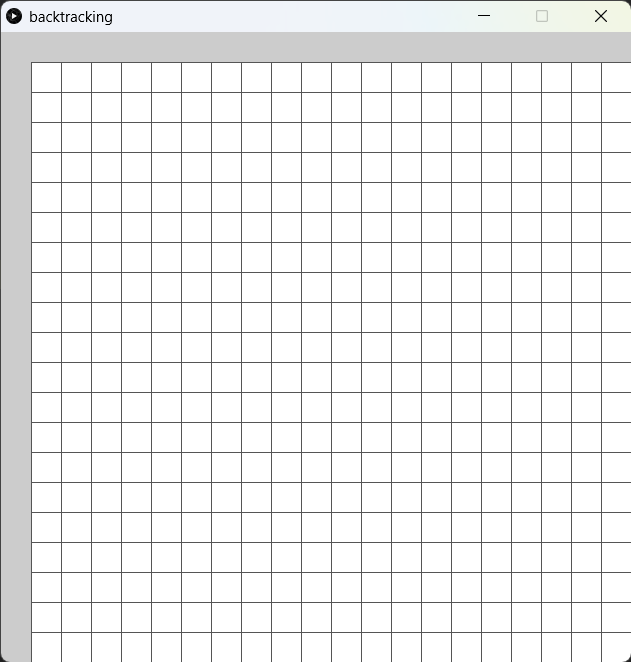
跟以往一樣,我們首先準備好格的class。今次比較特別的是,我們會準備n+1格,20x20的話就會是21x21格,因為要為迷宮準備好四面牆。
2. 加入cell class
# A demo of backtracking maze generator

cols = rows = 20
spots = []
cells = []

def setup():
    global spots, cells
    size(630, 630)
    rectMode(CENTER)

    # create new spots
    for i in range(cols):
        temp = []
        for j in range(rows):
            temp.append(Spot(i, j))
        spots.append(temp)

    # create new cells
    for i in range(cols/2):
        temp = []
        for j in range(rows/2):
            temp.append(Cell(i, j))
        cells.append(temp)

    # add spots to each cell and add neighbors to each cell
    for i in range(cols/2):
        for j in range(rows/2):
            cells[i][j].addSpots(spots)
            cells[i][j].addNeighbors(cells)


def draw():
    for i in range(cols):
        for j in range(rows):
            spots[i][j].show()

class Spot(object):

    def __init__(self, _i, _j):
        self.i = _i
        self.j = _j
        self.w = width / (cols + 1 )
        self.h = height / (rows +1 )
        self.x = (self.i+1) * self.w + self.w / 2
        self.y = (self.j+1) * self.h + self.h / 2
        self.wall = False

    def show(self):
        stroke('#555555')
        if self.wall:
            fill('#999999')
        else:
            fill(255)
        rect(self.x, self.y, self.w, self.h)

class Cell(object):
    # every cell has 4 spots
    def __init__(self, _i, _j):
        self.i = _i
        self.j = _j
        self.cells = [None, None, None, None]
        self.neighbors = []
        self.visited = False

    def addSpots(self, _spots):
        #every cell has 4 spots, the bottom right is always wall
        i = self.i
        j = self.j
        self.cells[0] = _spots[i*2][j*2] # top left
        self.cells[1] = _spots[i*2+1][j*2] # top right
        self.cells[2] = _spots[i*2+1][j*2+1] # bottom right
        self.cells[3] = _spots[i*2][j*2+1] # bottom left
        self.cells[2].wall = True

    def addNeighbors(self, _cells):
        i = self.i
        j = self.j
        self.neighbors.append(_cells[i-1][j]) if i >0 else None
        self.neighbors.append(_cells[i][j+1]) if j < rows/2-1 else None
        self.neighbors.append(_cells[i+1][j]) if i < cols/2-1 else None
        self.neighbors.append(_cells[i][j-1]) if j >0 else None

    def isVisited(self):
        return self.visited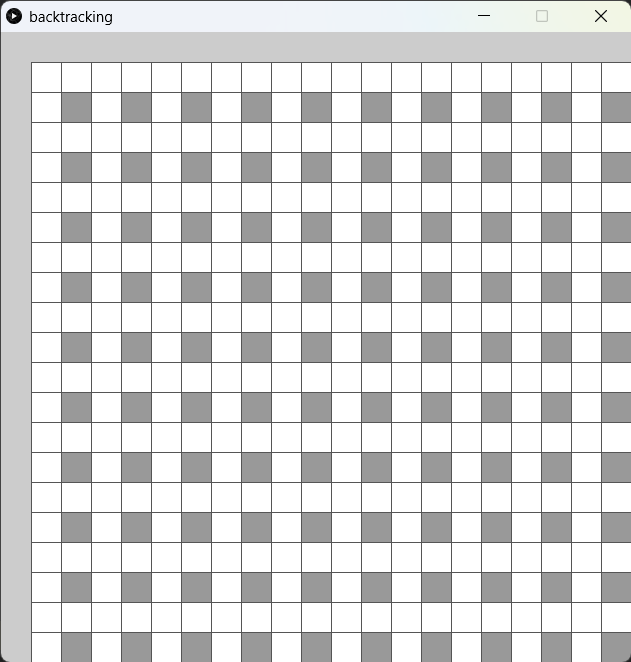
class Cell(object):
    # every cell has 4 spots
    def __init__(self, _i, _j):
        self.i = _i
        self.j = _j
        self.cells = [None, None, None, None]
        self.neighbors = []
        self.visited = False

	 def addSpots(self, _spots):
        #every cell has 4 spots, the bottom right is always wall
        i = self.i
        j = self.j
        self.cells[0] = _spots[i*2][j*2] # top left
        self.cells[1] = _spots[i*2+1][j*2] # top right
        self.cells[2] = _spots[i*2+1][j*2+1] # bottom right
        self.cells[3] = _spots[i*2][j*2+1] # bottom left
self.cells[2].wall = True新增一個cell class,這個class為迷宮的單元格。每個單元格包含4個spot,表示單元和的四個角落,其中右下角的Spot被標記為牆。
  def addNeighbors(self, _cells):
        i = self.i
        j = self.j
        self.neighbors.append(_cells[i-1][j]) if i >0 else None
        self.neighbors.append(_cells[i][j+1]) if j < rows/2-1 else None
        self.neighbors.append(_cells[i+1][j]) if i < cols/2-1 else None
        self.neighbors.append(_cells[i][j-1]) if j >0 else None

    def isVisited(self):
return self.visited此外,每個單元格還包含了一個neighbors列表,表示與該單元格相鄰的單元格。在program2中,程式會將每個Spot添加到相應的單元格中,並且將每個單元格的相鄰單元格添加到neighbors列表中。這種方法可以減少程式生成迷宮時的計算量,提高程式的性能。
cols = rows = 20
spots = []
cells = []

def setup():
    global spots, cells
    size(630, 630)
    #(same as before)

    # create new cells
    for i in range(cols/2):
        temp = []
        for j in range(rows/2):
            temp.append(Cell(i, j))
        cells.append(temp)

    # add spots to each cell and add neighbors to each cell
    for i in range(cols/2):
        for j in range(rows/2):
            cells[i][j].addSpots(spots)
cells[i][j].addNeighbors(cells)接著返回主程式,在setup()中,新增cols/2和row/2個cell(因為每4個spot為一個cell,所以只要一半就可以了),接著跟之前一樣幫這此cell加係鄰居。
3. 加入左邊界和右邊界
# A demo of backtracking maze generator

cols = rows = 20
spots = []
cells = []
wallSpots = []


def setup():
    global spots, cells, wallSpots
    size(630, 630)
    rectMode(CENTER)

    # create the left and top wall
    for i in range(-1, cols):
        wallSpots.append(Spot(i, -1))
    for j in range(-1, rows):
        wallSpots.append(Spot(-1, j))

    # create new spots
    for i in range(cols):
        temp = []
        for j in range(rows):
            temp.append(Spot(i, j))
        spots.append(temp)

    # create new cells
    for i in range(cols/2):
        temp = []
        for j in range(rows/2):
            temp.append(Cell(i, j))
        cells.append(temp)

    # add spots to each cell and add neighbors to each cell
    for i in range(cols/2):
        for j in range(rows/2):
            cells[i][j].addSpots(spots)
            cells[i][j].addNeighbors(cells)


def draw():
    # display the wall
    for spot in wallSpots:
        spot.wall = True
        spot.show()

    # display the cells
    for i in range(cols):
        for j in range(rows):
            spots[i][j].show()


class Spot(object):

    def __init__(self, _i, _j):
        self.i = _i
        self.j = _j
        self.w = width / (cols + 1)
        self.h = height / (rows + 1)
        self.x = (self.i+1) * self.w + self.w / 2
        self.y = (self.j+1) * self.h + self.h / 2
        self.wall = False

    def show(self):
        stroke('#555555')
        if self.wall:
            fill('#999999')
        else:
            fill(255)
        rect(self.x, self.y, self.w, self.h)


class Cell(object):
    # every cell has 4 spots
    def __init__(self, _i, _j):
        self.i = _i
        self.j = _j
        self.cells = [None, None, None, None]
        self.neighbors = []
        self.visited = False

    def addSpots(self, _spots):
        # every cell has 4 spots, the bottom right is always wall
        i = self.i
        j = self.j
        self.cells[0] = _spots[i*2][j*2]  # top left
        self.cells[1] = _spots[i*2+1][j*2]  # top right
        self.cells[2] = _spots[i*2+1][j*2+1]  # bottom right
        self.cells[3] = _spots[i*2][j*2+1]  # bottom left

        self.cells[1].wall = True
        self.cells[2].wall = True
        self.cells[3].wall = True

    def addNeighbors(self, _cells):
        i = self.i
        j = self.j
        self.neighbors.append(_cells[i-1][j]) if i > 0 else None
        self.neighbors.append(_cells[i][j+1]) if j < rows/2-1 else None
        self.neighbors.append(_cells[i+1][j]) if i < cols/2-1 else None
        self.neighbors.append(_cells[i][j-1]) if j > 0 else None

    def isVisited(self):
        return self.visited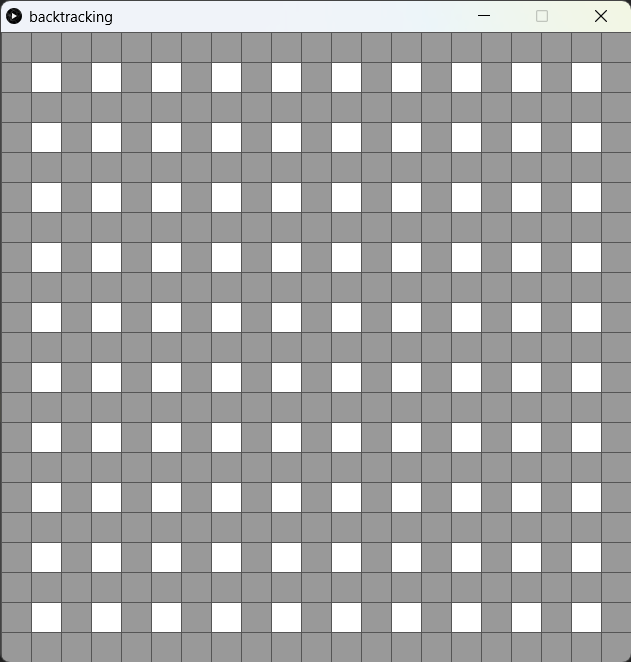
# A demo of backtracking maze generator

#(same as before)
wallSpots = []


def setup():
    global spots, cells, wallSpots
    size(630, 630)
    rectMode(CENTER)

    # create the left and top wall
    for i in range(-1, cols):
        wallSpots.append(Spot(i, -1))
    for j in range(-1, rows):
        wallSpots.append(Spot(-1, j))

    #(same as before)

def draw():
    # display the wall
    for spot in wallSpots:
        spot.wall = True
spot.show()加入一個wallSpot=[],將左邊界和上邊界都填滿,這是迷宮的四面牆。
    def addSpots(self, _spots):
        # every cell has 4 spots, the bottom right is always wall
        i = self.i
        j = self.j
        self.cells[0] = _spots[i*2][j*2]  # top left
        self.cells[1] = _spots[i*2+1][j*2]  # top right
        self.cells[2] = _spots[i*2+1][j*2+1]  # bottom right
        self.cells[3] = _spots[i*2][j*2+1]  # bottom left

        self.cells[1].wall = True
        self.cells[2].wall = True
self.cells[3].wall = True此外,在cell class中,在加係spot的同時,除了右下角的Spot被標記為牆以外,右上角和左下角的Spot也被標記為牆。因backtracking演算法是將走過的地方的牆拆除,而不是建牆的。
4. Backtracking
# A demo of backtracking maze generator

from random import *

cols = rows = 20
spots = []
cells = []
wallSpots = []
current = None
stack = []


def setup():
    global spots, cells, wallSpots, current
    size(630, 630)
    rectMode(CENTER)
    frameRate(10)

    # create the left and top wall
    for i in range(-1, cols):
        wallSpots.append(Spot(i, -1))
    for j in range(-1, rows):
        wallSpots.append(Spot(-1, j))

    # create new spots
    for i in range(cols):
        temp = []
        for j in range(rows):
            temp.append(Spot(i, j))
        spots.append(temp)

    # create new cells
    for i in range(cols/2):
        temp = []
        for j in range(rows/2):
            temp.append(Cell(i, j))
        cells.append(temp)

    # add spots to each cell and add neighbors to each cell
    for i in range(cols/2):
        for j in range(rows/2):
            cells[i][j].addSpots(spots)
            cells[i][j].addNeighbors(cells)

    # start from the top left cell
    current = cells[0][0]
    current.visited = True


def draw():
    global current, stack

    # display the wall
    for spot in wallSpots:
        spot.wall = True
        spot.show()

    # display the cells
    for i in range(cols):
        for j in range(rows):
            spots[i][j].show()

     # display the current cell
    current.highLight()

    # generate the maze
    unvisitedNeighbors = current.checkNeighbors()
    if len(unvisitedNeighbors) > 0:
            next = choice(unvisitedNeighbors)
            stack.append(current)
            removeWall(current, next)
            next.visited = True
            current = next
    elif len(stack) > 0:
        current = stack.pop()


def removeWall(a, b):
    x = a.i - b.i
    y = a.j - b.j

    if x == 1: # a is on the right of b
        b.cells[1].wall = False
    if x == -1: # a is on the left of b
        a.cells[1].wall = False
    if y == 1: # a is below b
        b.cells[3].wall = False
    if y == -1: # a is above b
        a.cells[3].wall = False


class Spot(object):

    def __init__(self, _i, _j):
        self.i = _i
        self.j = _j
        self.w = width / (cols + 1)
        self.h = height / (rows + 1)
        self.x = (self.i+1) * self.w + self.w / 2
        self.y = (self.j+1) * self.h + self.h / 2
        self.wall = False

    def show(self):
        stroke('#555555')
        if self.wall:
            fill('#999999')
        else:
            fill(255)
        rect(self.x, self.y, self.w, self.h)

    def highLight(self):
        stroke('#555555')
        fill('#FF0000')
        rect(self.x, self.y, self.w, self.h)


class Cell(object):
    # every cell has 4 spots
    def __init__(self, _i, _j):
        self.i = _i
        self.j = _j
        self.cells = [None, None, None, None]
        self.neighbors = []
        self.visited = False

    def addSpots(self, _spots):
        # every cell has 4 spots, the bottom right is always wall
        i = self.i
        j = self.j
        self.cells[0] = _spots[i*2][j*2]  # top left
        self.cells[1] = _spots[i*2+1][j*2]  # top right
        self.cells[2] = _spots[i*2+1][j*2+1]  # bottom right
        self.cells[3] = _spots[i*2][j*2+1]  # bottom left

        self.cells[1].wall = True
        self.cells[2].wall = True
        self.cells[3].wall = True

    def addNeighbors(self, _cells):
        i = self.i
        j = self.j
        self.neighbors.append(_cells[i-1][j]) if i > 0 else None
        self.neighbors.append(_cells[i][j+1]) if j < rows/2-1 else None
        self.neighbors.append(_cells[i+1][j]) if i < cols/2-1 else None
        self.neighbors.append(_cells[i][j-1]) if j > 0 else None

    def isVisited(self):
        return self.visited

    def checkNeighbors(self):
        unvisitedNeighbors = []
        for neighbor in self.neighbors:
            if not neighbor.isVisited():
                unvisitedNeighbors.append(neighbor)

        return unvisitedNeighbors

    def highLight(self):
self.cells[0].highLight()# A demo of backtracking maze generator
from random import *
cols = rows = 20
spots = []
cells = []
wallSpots = []
current = None
stack = []在程式的最開始,加入current作為backtracking演算法的現存位置,另外加入stack作為演算法的堆疊,用以紀錄演算法到過的地方。
def setup():
    #(same as before)
    # start from the top left cell
    current = cells[0][0]
current.visited = True在setup()的最低下加入current的位置,當然你也可以將current的初始位置隨機擺放。
def draw():
    #(same as before)

    # display the current cell
    current.highLight()

    # generate the maze
    unvisitedNeighbors = current.checkNeighbors()
    if len(unvisitedNeighbors) > 0:
            next = choice(unvisitedNeighbors)
            stack.append(current)
            removeWall(current, next)
            next.visited = True
            current = next
    elif len(stack) > 0:
current = stack.pop()在draw()的最底下,加入highlight(),highligt current這一格方便觀察。
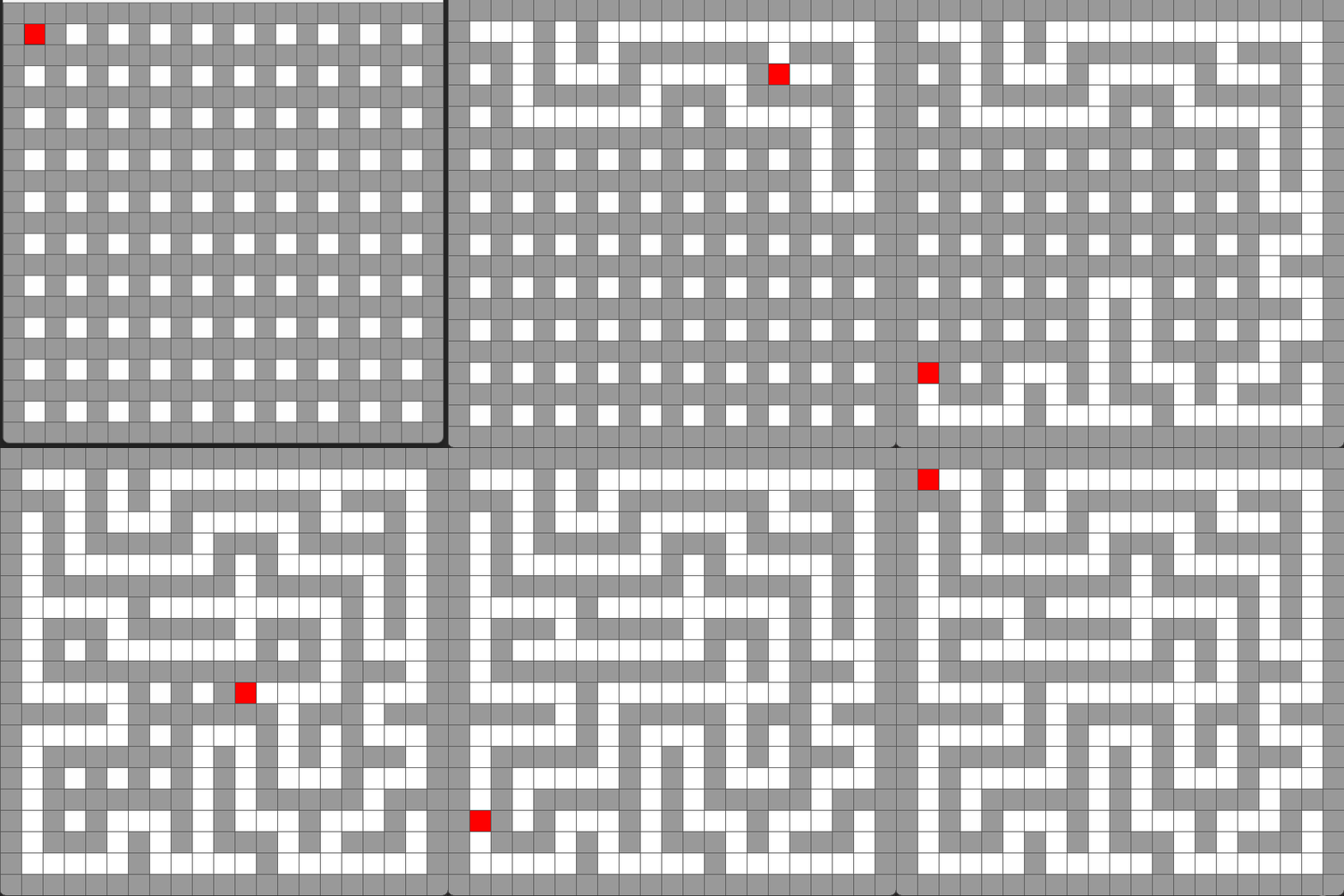
之後便是核心的backtracking演算法,
- 找出
current所有未訪問的鄰居 - 如果有未訪問的鄰居:
- 隨機挑選一個
- 將
current放入stack推疊 - 將
current和next中間的牆拆去 - 將
next標示為已訪問 - 將
next變成current開始新一輪的操作
- 如果沒有未訪問的鄰居,即到達掘頭路
- 就將
stack推疊逐個釋放出來,直到上一個有鄰居(分岔路)的格。
- 就將
def removeWall(a, b):
    x = a.i - b.i
    y = a.j - b.j

    if x == 1: # a is on the right of b
        b.cells[1].wall = False
    if x == -1: # a is on the left of b
        a.cells[1].wall = False
    if y == 1: # a is below b
        b.cells[3].wall = False
    if y == -1: # a is above b
a.cells[3].wall = False在setup()和draw()外加入removeWall()函數。由於所有牆都是cell的右方和下方,所以要分清楚這個兩cell哪一個在左右、哪一個在上下。
考考你
為程式加入上一章的AStar找尋路徑的演算法,做到跟我下面的程式一樣,先生成地圖再找路徑