Breakout
《Breakout》是一款由雅達利開發及發佈的街機遊戲。此遊戲是由諾蘭·布殊內爾和斯蒂夫·布里斯托構思,並且是參考1972年雅達利街機遊戲《乓》創作,於1976年4月發佈,並且已洐生了不少打磚塊作品,如《Gee Bee》和《快打磚塊》。

[TOC]
0. 本章重點
- 向量(Vector)
- 列表(list)
- 函數(function)
- 邏輯布林運算
- 程式常用技巧: 一鍵restart遊戲
1. 繪畫一個會彈牆的球
跟上一次一樣,我們先建立一個空間,畫一個會動的球,這個球在撞到左右兩邊的牆時會反彈。
ballPosX = 0
ballPosY = 0
ballVecX = 0
ballVecY = 0

def setup():
    global ballPosX, ballPosY, ballVecX, ballVecY

    size(800, 600)

    ballPosX = width/2
    ballPosY = height-20
    ballVecX = random(-5,5)
    ballVecY = -1

def draw():
    global ballPosX, ballPosY, ballVecX, ballVecY

    background(30)

    ballPosX = ballPosX + ballVecX
    ballPosY = ballPosY + ballVecY

    if (ballPosX <= 0 or ballPosX >= width):
        ballVecX *= -1
    if (ballPosY <= 0):
        ballVecY *= -1

    ellipse(ballPosX, ballPosY, 20, 20)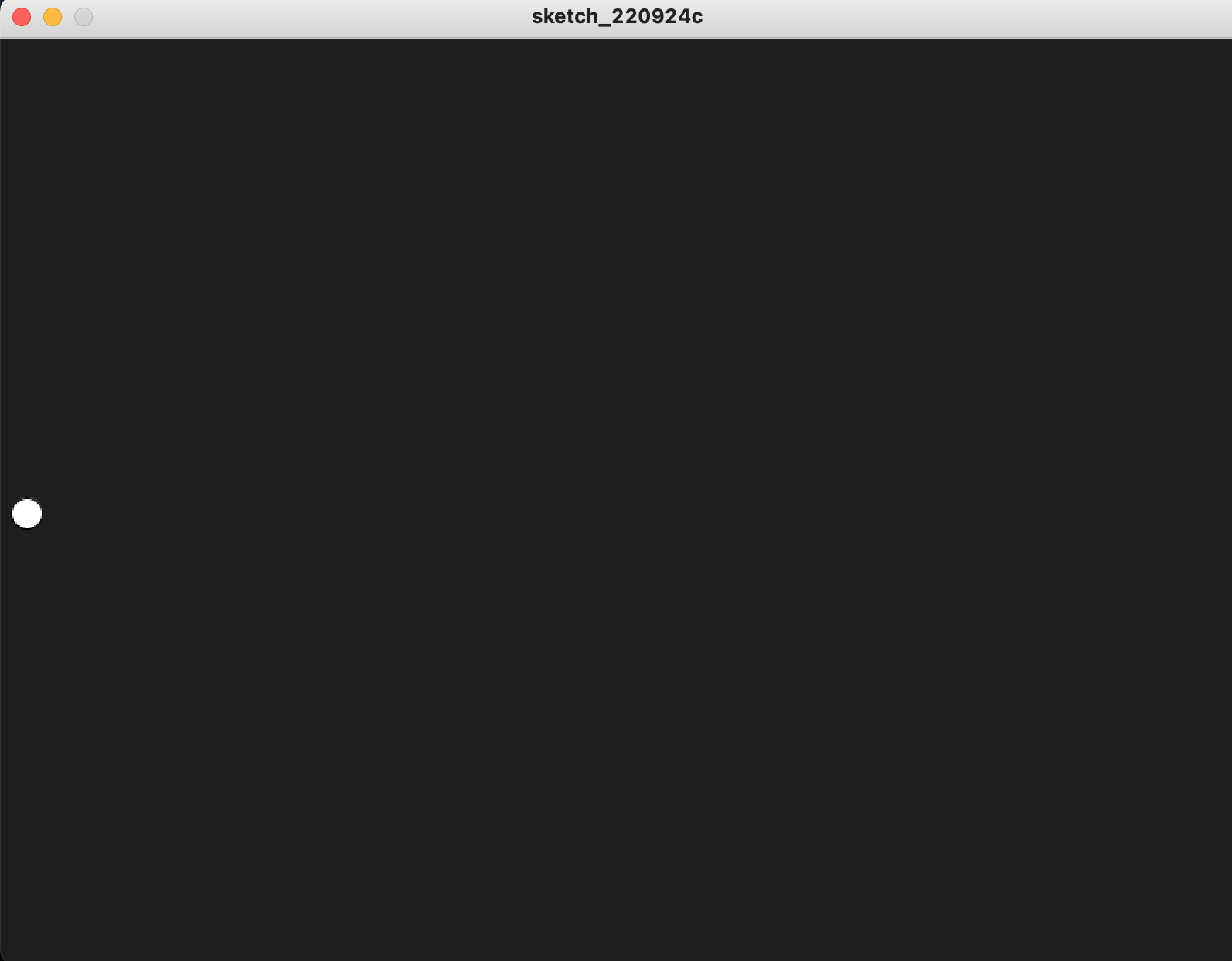
1.1 Vector(向量)
上述的程式碼沒有甚麼問題,一切都可以運作起來,但你想想,如果是2D遊戲,每個球的座標會有兩個變數,如果是3D的遊戲,每個球的座標就會是3個變數;除了變數較多外,這些變數也不好運作。
這裡介紹一個很好用的數學工具叫Vector(向量)。詳細的數學方面的教學可看看這裡。
ballPos = PVector()
ballVec = PVector()

def setup():
    global ballPos, ballVec

    size(800, 600)

    ballPos = PVector(width/2, height-20)
    ballVec = PVector(random(-5,5), -1)

def draw():
    global ballPos, ballVec

    background(30)

    ballPos = ballPos.add(ballVec)

    if (ballPos.x <= 0 or ballPos.x >= width):
        ballVec.x *= -1
    if ballPos.y <=0:
        ballVec.y *= -1

ellipse(ballPos.x, ballPos.y, 20, 20)ballPos = PVector()
ballVec = PVector()就是宣告一個空的Vector
ballPos = PVector(width/2, height-20)
ballVec = PVector(random(-5,5), -1)跟上面分開宣告x和y一樣,但這裡只要集中x和y宣告一次就可以了。
ballPos = ballPos.add(ballVec)
if (ballPos.x <= 0 or ballPos.x >= width):
ballVec.x *= -1
if ballPos.y <=0:
ballVec.y *= -1之前是ballPosX加上ballVecX,ballPosY加上ballVecY,這裡其實都是做同一樣的事情,只是用向量的方式進行。
如果要指定一個向量(vector)的獨立軸的值(例如x軸),可以用這樣表示: ballPos.x。
2. 製作會反彈球的彈板
ballPos = PVector()
ballVec = PVector()
beam = PVector()
def setup():
global ballPos, ballVec, beam
size(800, 600)
ballPos = PVector(width/2, height-20)
ballVec = PVector(random(-5,5), -1)
beam = PVector(width/2, height-15)
rectMode(CENTER)
def draw():
global ballPos, ballVec, beam
background(30)
ballPos = ballPos.add(ballVec)
beam = PVector(mouseX, beam.y)
if (ballPos.x <= 0 or ballPos.x >= width):
ballVec.x *= -1
if ballPos.y <=0:
ballVec.y *= -1
if ballPos.x >= beam.x - 25 and ballPos.x <= beam.x + 25 and ballPos.y >= height-15:
ballVec.y *= -1
ellipse(ballPos.x, ballPos.y, 20, 20)
rect(beam.x, beam.y, 50, 10)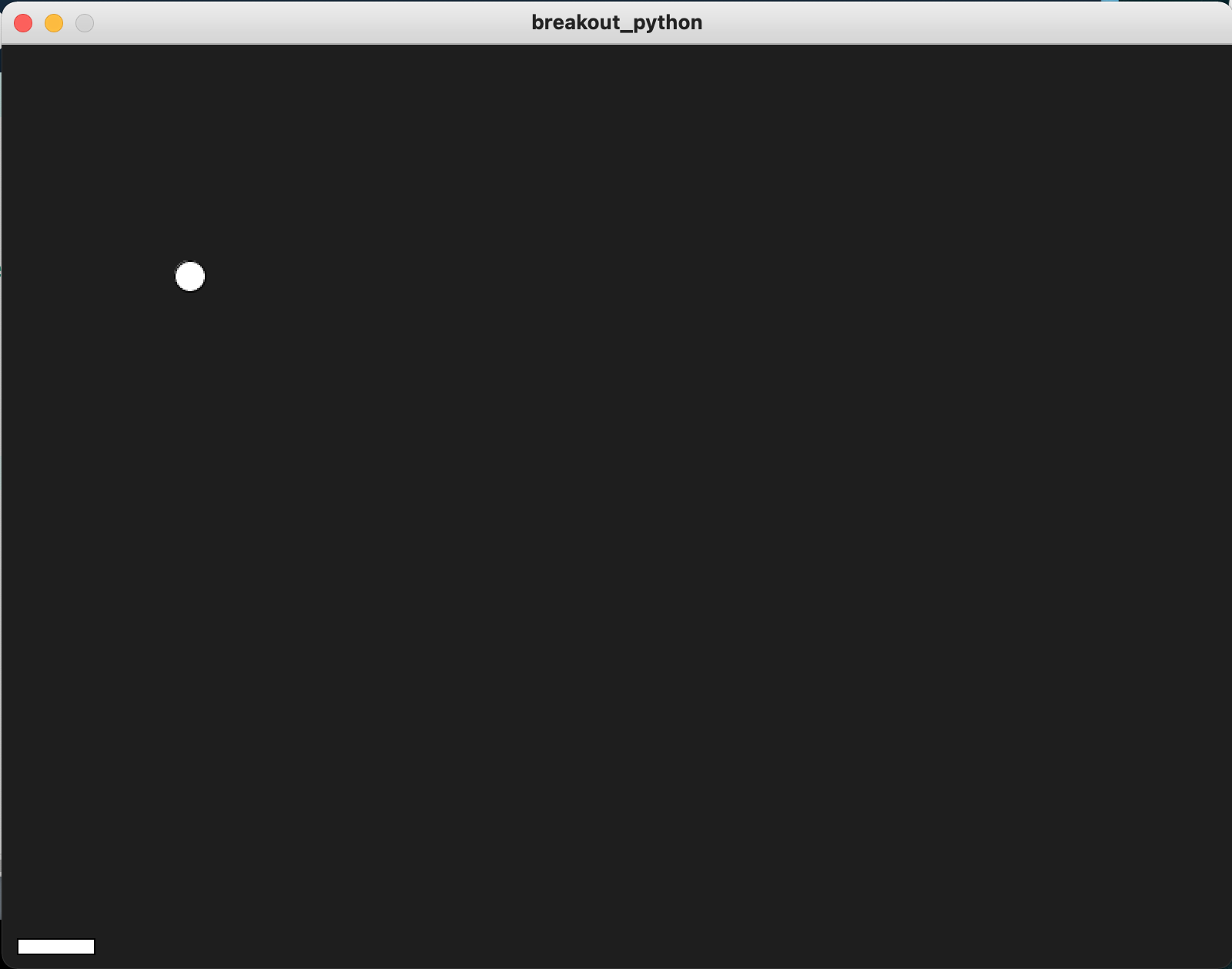
beam = PVector()宣告一個叫beam的向量。
beam = PVector(width/2, height-15)
rectMode(CENTER)在setup()中預返beam的位置,將rectMode()設定為CENTER。
beam = PVector(mouseX, beam.y)

if ballPos.x >= beam.x - 25 and ballPos.x <= beam.x + 25 and ballPos.y >= height-15:
    ballVec.y *= -1

rect(beam.x, beam.y, 50, 10)在draw()中,每幀都指定beam的位置為(mouseX, height-15),跟上一次的Pong一樣,當球撞到板後,就反彈球。而今次我們最後將beam畫出來。
3. 美化一下更加像原版
ballPos = PVector()
ballVec = PVector()

beam = PVector()
beamWidth = 100

def setup():
    global ballPos, ballVec, beam

    size(800, 600)

    ballPos = PVector(width/2, height-20)
    ballVec = PVector(random(-5,5), -1)

    beam = PVector(width/2, height-15)
    rectMode(CENTER)

def draw():
    global ballPos, ballVec, beam

    background(30)

    ballPos = ballPos.add(ballVec)
    beam = PVector(mouseX, beam.y)

    if (ballPos.x <= 0 or ballPos.x >= width):
        ballVec.x *= -1
    if ballPos.y <=0:
        ballVec.y *= -1

    if ballPos.x >= beam.x - beamWidth/2 and ballPos.x <= beam.x + beamWidth/2 and ballPos.y >= height-15:
        ballVec.y *= -1

    fill(198, 73, 75)
    noStroke()
    rect(ballPos.x, ballPos.y, 20, 20)
rect(beam.x, beam.y, beamWidth, 10)beamWidth = 100加入一個變數beamWidth用來控製球拍的寬度。
if ballPos.x >= beam.x - beamWidth/2 and ballPos.x <= beam.x + beamWidth/2 and ballPos.y >= height-15:
ballVec.y *= -1原本球拍寬度為50時,球拍一半就是25,所以要用ballPos.x >= beam.x - 25 and ballPos.x <= beam.x + 25,現在設定了球拍的寬度為beamWidth,所以要改成為ballPos.x >= beam.x - beamWidth/2 and ballPos.x <= beam.x + beamWidth/2
fill(198, 73, 75)
noStroke()
rect(ballPos.x, ballPos.y, 20, 20)
rect(beam.x, beam.y, beamWidth, 10)最後將球和拍畫出來。顏色跟隨原版,沒有框線。
4. 製作磚頭
ballPos = PVector()
ballVec = PVector()

beam = PVector()
beamWidth = 100

brickPos = []
brickState = []
brickWidth = 0
brickHeight = 0
brickColor = ["#C54846","#CE7238","#BB7C2F","#A29B27","#429143","#4350CC"]

def setup():
    global ballPos, ballVec, beam, brickPos, brickWidth, brickHeight

    size(800, 600)

    ballPos = PVector(width/2, height-20)
    ballVec = PVector(random(-5,5), -1)

    beam = PVector(width/2, height-15)
    rectMode(CENTER)

    brickWidth = width/16
    brickHeight = 20

    for i in range(6):
        elements = []
        for j in range(16):
            elements.append(PVector(j*brickWidth+brickWidth/2, i*brickHeight+50))
        brickPos.append(elements)

def draw():
    global ballPos, ballVec, beam, brickPos, brickWidth, brickHeight

    background(30)

    ballPos = ballPos.add(ballVec)
    beam = PVector(mouseX, beam.y)

    if (ballPos.x <= 0 or ballPos.x >= width):
        ballVec.x *= -1
    if ballPos.y <=0:
        ballVec.y *= -1

    if ballPos.x >= beam.x - beamWidth/2 and ballPos.x <= beam.x + beamWidth/2 and ballPos.y >= height-15:
        ballVec.y *= -1

    fill(198, 73, 75)
    noStroke()
    rect(ballPos.x, ballPos.y, 20, 20)
    rect(beam.x, beam.y, beamWidth, 10)

    for i in range(6):
        fill(brickColor[i])
        for j in range(16):
            rect(brickPos[i][j].x, brickPos[i][j].y, brickWidth, brickHeight)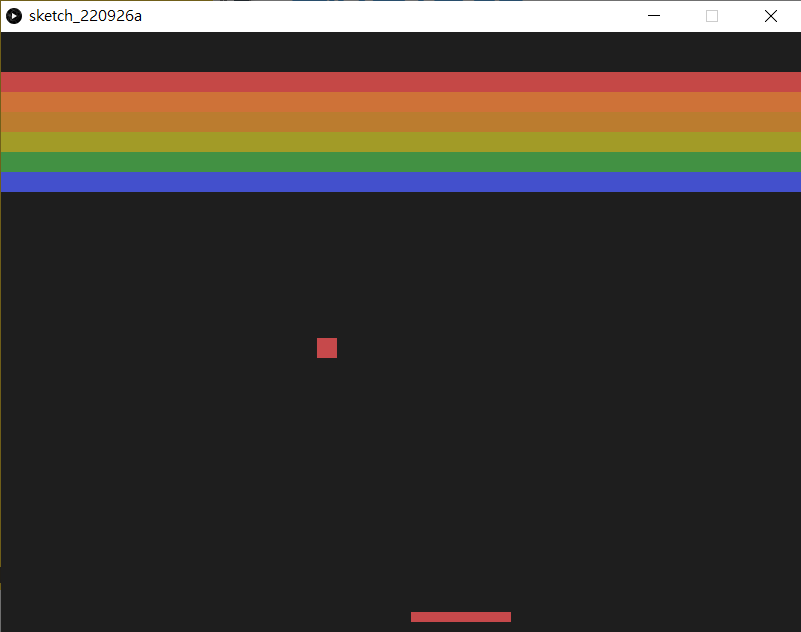
brickPos = []
brickState = []
brickWidth = 0
brickHeight = 0
brickColor = ["#C54846","#CE7238","#BB7C2F","#A29B27","#429143","#4350CC"]在setup()之前,宣告所有磚的位置、狀況(是出現還是消失)、寬度、長度和每一行磚的顏色。值得注意的是brickPos和brickState,由於有6x16塊磚,而每塊磚都有自己的狀態,所以我們不可能用6x16個不同命名的變數去裝起它們,這裡我們用一個list去裝起它們。甚麼是list,可以參考這裡。
brickWidth = width/16
brickHeight = 20

for i in range(6):
	elements = []
	for j in range(16):
		elements.append(PVector(j*brickWidth+brickWidth/2, i*brickHeight+50))
brickPos.append(elements)按著在setup()中,先定義每塊磚的長和寬。利用for 去重覆,每次更新每塊磚的位置。由於rectMode()是用CENTER,所以每塊磚的x座標要再加上半塊磚的距離。
for i in range(6):
	fill(brickColor[i])
	for j in range(16):
rect(brickPos[i][j].x, brickPos[i][j].y, brickWidth, brickHeight)最後在draw()中,將所有的磚畫出來。每行的磚都有自己的顏色,這時就要用之前事前已經用list存好的brickColor[]
5. 令磚頭消失
ballPos = PVector()
ballVec = PVector()

beam = PVector()
beamWidth = 100

brickPos = []
brickState = []
brickWidth = 0
brickHeight = 0
brickColor = ["#C54846","#CE7238","#BB7C2F","#A29B27","#429143","#4350CC"]

def setup():
    global ballPos, ballVec, beam, brickPos, brickWidth, brickHeight, brickState

    size(800, 600)

    ballPos = PVector(width/2, height-20)
    ballVec = PVector(random(-5,5), -1)

    beam = PVector(width/2, height-15)
    rectMode(CENTER)

    brickWidth = width/16
    brickHeight = 20

    for i in range(6):
        elements = []
        for j in range(16):
            elements.append(PVector(j*brickWidth+brickWidth/2, i*brickHeight+50))
        brickPos.append(elements)

    for i in range(6):
        stateElements = []
        for j in range(16):
            stateElements.append(True)
        brickState.append(stateElements)

def draw():
    global ballPos, ballVec, beam, brickPos, brickWidth, brickHeight, brickState

    background(30)

    ballPos = ballPos.add(ballVec)
    beam = PVector(mouseX, beam.y)

    if (ballPos.x <= 0 or ballPos.x >= width):
        ballVec.x *= -1
    if ballPos.y <=0:
        ballVec.y *= -1

    if ballPos.x >= beam.x - beamWidth/2 and ballPos.x <= beam.x + beamWidth/2 and ballPos.y >= height-15:
        ballVec.y *= -1

    fill(198, 73, 75)
    noStroke()
    rect(ballPos.x, ballPos.y, 20, 20)
    rect(beam.x, beam.y, beamWidth, 10)

    for i in range(6):
        fill(brickColor[i])
        for j in range(16):
            if isInBox(ballPos, brickPos[i][j]):
                brickState[i][j] = False
            if brickState[i][j]:
                rect(brickPos[i][j].x, brickPos[i][j].y, brickWidth, brickHeight)


def isInBox(_ballPos, _brickPos):
    x = _ballPos.x
    y = _ballPos.y
    bX = _brickPos.x
    bY = _brickPos.y
    w = brickWidth
    h = brickHeight

    if x >= bX - w/2 and x <= bX + w/2 and y >= bY - h/2 and y <= bY + h/2:
        return True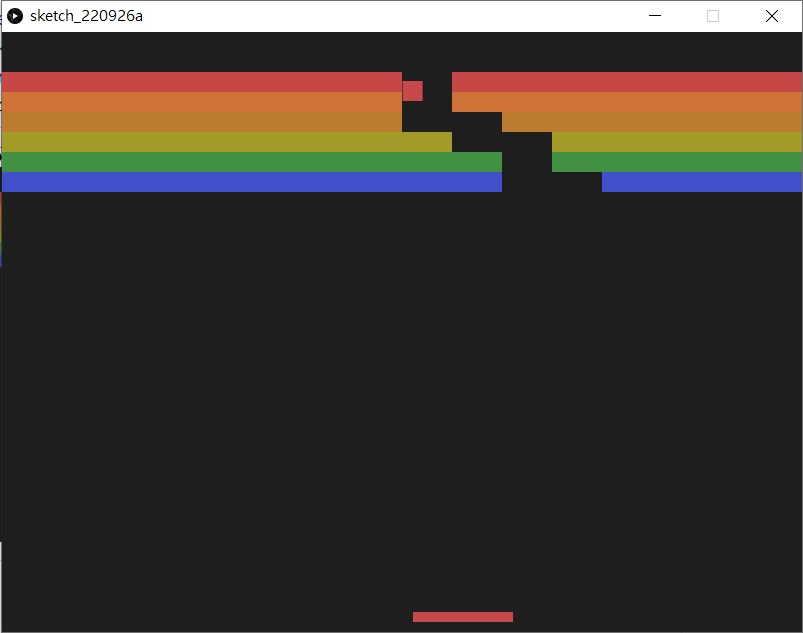
for i in range(6):
	stateElements = []
	for j in range(16):
		stateElements.append(True)
brickState.append(stateElements)在setup()中,加入另一個for loop,初始化brickState變成6x16的2d list,並將全部內容都設為True。
def isInBox(_ballPos, _brickPos):
    x = _ballPos.x
    y = _ballPos.y
    bX = _brickPos.x
    bY = _brickPos.y
    w = brickWidth
    h = brickHeight

    if x >= bX - w/2 and x <= bX + w/2 and y >= bY - h/2 and y <= bY + h/2:
return True在setup()和draw()之外,加入第3個自定的函數(function)。這個函數(function)你可以隨意命名,不一定要跟我一樣,函數(function)有2個參數(parameter),python不需要跟其他程式一樣事前定義參數(parameter)的數據格式,你導入的引數(Argument)格式是甚麼就是甚麼,一般為了方便驅分,參數的命名如果跟全域變數(global varaiable)很像的話,都會在名字前面加入_。
for i in range(6):
    fill(brickColor[i])
    for j in range(16):
        if isInBox(ballPos, brickPos[i][j]):
            brickState[i][j] = False
        if brickState[i][j]:
rect(brickPos[i][j].x, brickPos[i][j].y, brickWidth, brickHeight)每次在繪畫磚塊之時,檢查一下球有否撞過磚塊,如果有的話, 就將其狀態(brickState)設定為False,在繪畫時就不繪畫它。
6. 判斷贏或是輸
ballPos = PVector()
ballVec = PVector()

beam = PVector()
beamWidth = 100

brickPos = []
brickState = []
brickWidth = 0
brickHeight = 0
brickColor = ["#C54846","#CE7238","#BB7C2F","#A29B27","#429143","#4350CC"]

gameOver = False

def setup():
    global ballPos, ballVec, beam, brickPos, brickWidth, brickHeight, brickState

    size(800, 600)

    ballPos = PVector(width/2, height-20)
    ballVec = PVector(random(-5,5), -5)

    beam = PVector(width/2, height-15)
    rectMode(CENTER)

    brickWidth = width/16
    brickHeight = 20

    for i in range(6):
        elements = []
        for j in range(16):
            elements.append(PVector(j*brickWidth+brickWidth/2, i*brickHeight+50))
        brickPos.append(elements)

    for i in range(6):
        stateElements = []
        for j in range(16):
            stateElements.append(True)
        brickState.append(stateElements)

    gameOver = False

def draw():
    if not gameOver:
        runGame()
        checkIfWin()
        checkIfLose()

def isInBox(_ballPos, _brickPos):
    x = _ballPos.x
    y = _ballPos.y
    bX = _brickPos.x
    bY = _brickPos.y
    w = brickWidth
    h = brickHeight

    if x >= bX - w/2 and x <= bX + w/2 and y >= bY - h/2 and y <= bY + h/2:
        return True

def runGame():
    global ballPos, ballVec, beam, brickPos, brickWidth, brickHeight, brickState

    background(30)

    ballPos = ballPos.add(ballVec)
    beam = PVector(mouseX, beam.y)

    if (ballPos.x <= 0 or ballPos.x >= width):
        ballVec.x *= -1
    if ballPos.y <=0:
        ballVec.y *= -1

    if ballPos.x >= beam.x - beamWidth/2 and ballPos.x <= beam.x + beamWidth/2 and ballPos.y >= height-15:
        ballVec.y *= -1
        ballVec.x += random(-5,5)

    fill(198, 73, 75)
    noStroke()
    rect(ballPos.x, ballPos.y, 20, 20)
    rect(beam.x, beam.y, beamWidth, 10)

    for i in range(6):
        fill(brickColor[i])
        for j in range(16):
            if isInBox(ballPos, brickPos[i][j]):
                brickState[i][j] = False
            if brickState[i][j]:
                rect(brickPos[i][j].x, brickPos[i][j].y, brickWidth, brickHeight)

def checkIfLose():
    global gameOver
    if (ballPos.y >= height):
        gameOver = True
        textSize(48)
        textAlign(CENTER, CENTER)
        text("GAME OVER", width/2, height/2)

def checkIfWin():
    global gameOver

    hasTrue = False

    for i in range(6):
        for j in range(16):
            hasTrue = hasTrue or brickState[i][j]

    if hasTrue == False:
        gameOver = True
        textSize(48)
        textAlign(CENTER, CENTER)
        text("YOU WIN", width/2, height/2)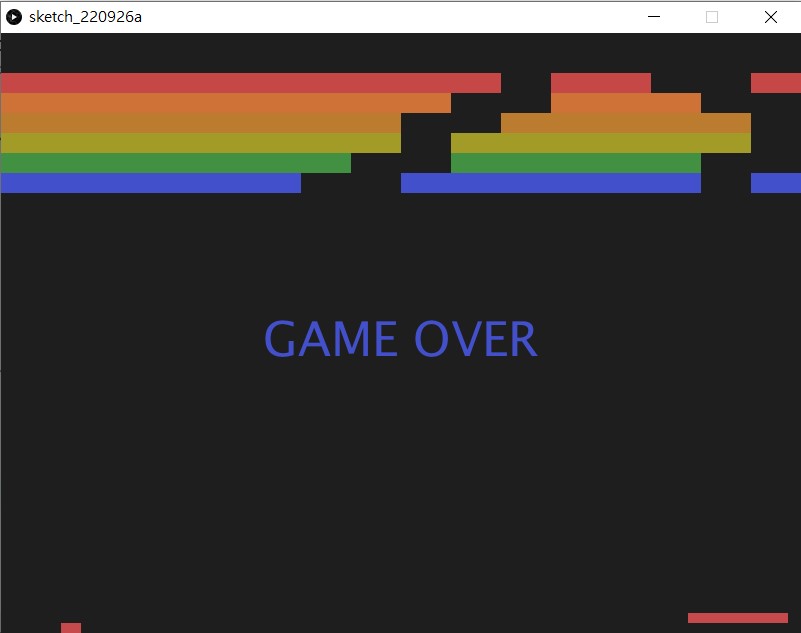
def runGame():
    global ballPos, ballVec, beam, brickPos, brickWidth, brickHeight, brickState

    background(30)

    ballPos = ballPos.add(ballVec)
    beam = PVector(mouseX, beam.y)

    if (ballPos.x <= 0 or ballPos.x >= width):
        ballVec.x *= -1
    if ballPos.y <=0:
        ballVec.y *= -1

    if ballPos.x >= beam.x - beamWidth/2 and ballPos.x <= beam.x + beamWidth/2 and ballPos.y >= height-15:
        ballVec.y *= -1
        ballVec.x += random(-5,5)

    fill(198, 73, 75)
    noStroke()
    rect(ballPos.x, ballPos.y, 20, 20)
    rect(beam.x, beam.y, beamWidth, 10)

    for i in range(6):
        fill(brickColor[i])
        for j in range(16):
            if isInBox(ballPos, brickPos[i][j]):
                brickState[i][j] = False
            if brickState[i][j]:
rect(brickPos[i][j].x, brickPos[i][j].y, brickWidth, brickHeight)首先開一個函數叫runGame(),將所有原本在draw()之中的內容都剪下貼上到這個函數之中。留意一下,在這裡的第16行,被加入了一句ballVec.x += random(-5,5),令到每次當球反彈時,不會根據物理原理跟隨法線反彈,而是會隨機加一點亂數,放便消除所有的磚,否則有一些磚可能要花十分多時間才會消除。
gameOver = False在程式最開始的宣告區,開一個變數叫gameOver,在setup()中設定它為False。
def draw():
    if not gameOver:
        runGame()
        checkIfWin()
checkIfLose()在原本的draw()中,修改一下,如果gameOver是False的話,即代表遊戲還沒有結束,所以就要runGame()即繼續遊戲,之後額外加多2個函數,分別去檢查遊戲是贏了還是輸了。
def checkIfLose():
    global gameOver
    if (ballPos.y >= height):
        gameOver = True
        textSize(48)
        textAlign(CENTER, CENTER)
text("GAME OVER", width/2, height/2)要檢查是否輸就很簡單,如果球飛出了畫面,就即是輸了,所以檢查ballPos.y,如果大於height的話即出了界,就判定其為輸。
def checkIfWin():
    global gameOver

    hasTrue = False

    for i in range(6):
        for j in range(16):
            hasTrue = hasTrue or brickState[i][j]

    if hasTrue == False:
        gameOver = True
        textSize(48)
        textAlign(CENTER, CENTER)
text("YOU WIN", width/2, height/2)要檢查是否贏就一點複雜,首先要參考一下下表:
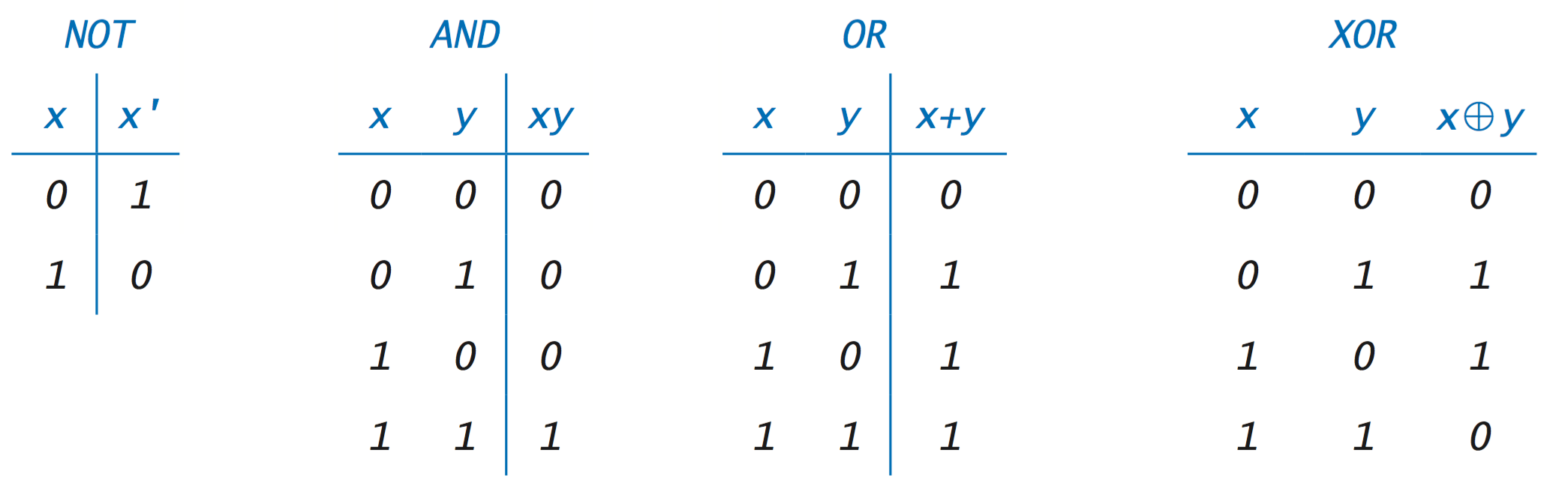
在邏輯運算中,or 的邏輯運算,兩個輸入只要有一個是True,就會得出結果為True。所以一開始我們設定一個叫hasTrue的變數,一開始的值是False,之後將所有的brickState[][]都和這個變數or一次,如果其中一個(例如是第2個)是True的話,那麼結果就會變成True,之後即使再or其他的brickState[][],brickState[][]的狀態即使是False,之前的結果也已經轉成了True,所以再or也是True。除非全部的brickState[][]都是False,那麼跟hasTrue全部or一次的結果才會是False。(這是一個寫遊戲很常用的技巧,可以記一下,之後寫遊戲會經常用得著)
7. 考考你
請自行為遊戲加入:
- 按下鍵盤的
r鍵後會自動重啟這個遊戲; - 加入生命值,如果出了界的話,不會立即gameover,而是會減少生命值,例如有3次機會,出界3次後少gameover。再將生命值用文字顯示在最上方正中,像原版一樣;
- 加入分數(score),每當消除一塊磚就加1分,將分數顯示在遊戲左上角;
- 加入回合制,完成了一關之後,可以開始下一回合,下一回合的磚頭數量(例如行數加多一行)會有變化,每兩至三關球的速度會加速,消滅磚塊的分數也會跟據回合倍增變成第1關1分, 第2關2分等等。