Appendix: Exporting DXF, STL and 3MF Files
💡TIP
To turn a computer model into a physical object, export the appropriate file in DXF, STL or 3MF format.
📝NOTE
| Property | DXF (Drawing Exchange Format) | STL (Stereolithography) / 3MF (3D Manufacturing Format) |
|---|---|---|
| Data type | Vector | Mesh |
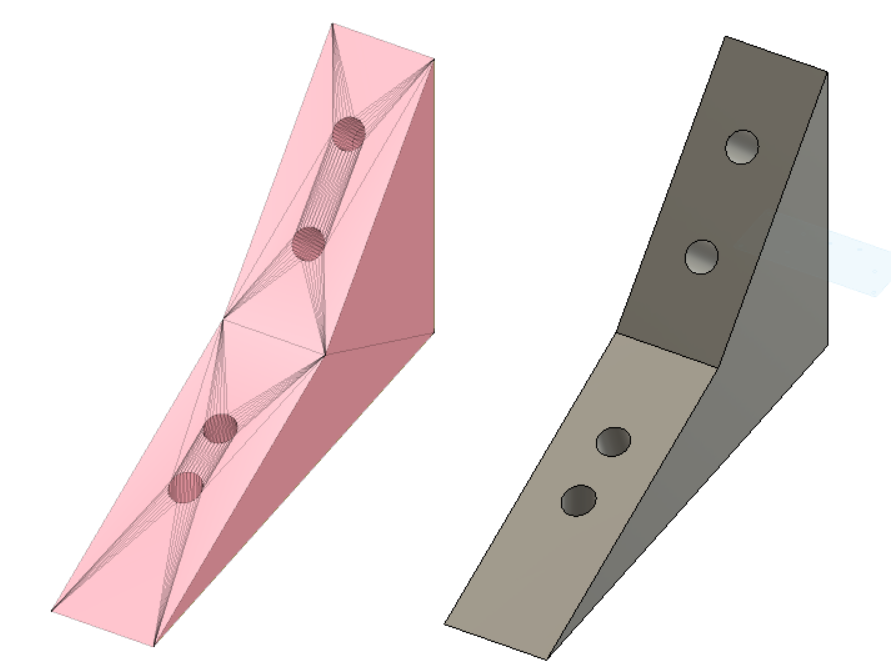
| Geometry | Uses mathematically defined points, lines, arcs and splines. | Approximates surfaces with many triangles. |
| Accuracy | High. Preserves the mathematical geometry of the original design. | Depends on the sampling resolution. Circles become polygons made of very short edges. |
| Editability | Very high. Parameters and offsets can be edited directly in CAD software. | Very low. In parametric CAD it is effectively “dead geometry” and is difficult to edit as features. |
| Unit information | Supports defined units. | Traditionally unitless in STL, which can cause scaling errors. 3MF can store units. |
| Main uses | 2D laser cutting, CNC milling and exchanging drawings between CAD applications. | 3D printing. STL is the older standard; 3MF is a newer manufacturing format. |
Exporting a DXF
Step 1
⚠️WARNING
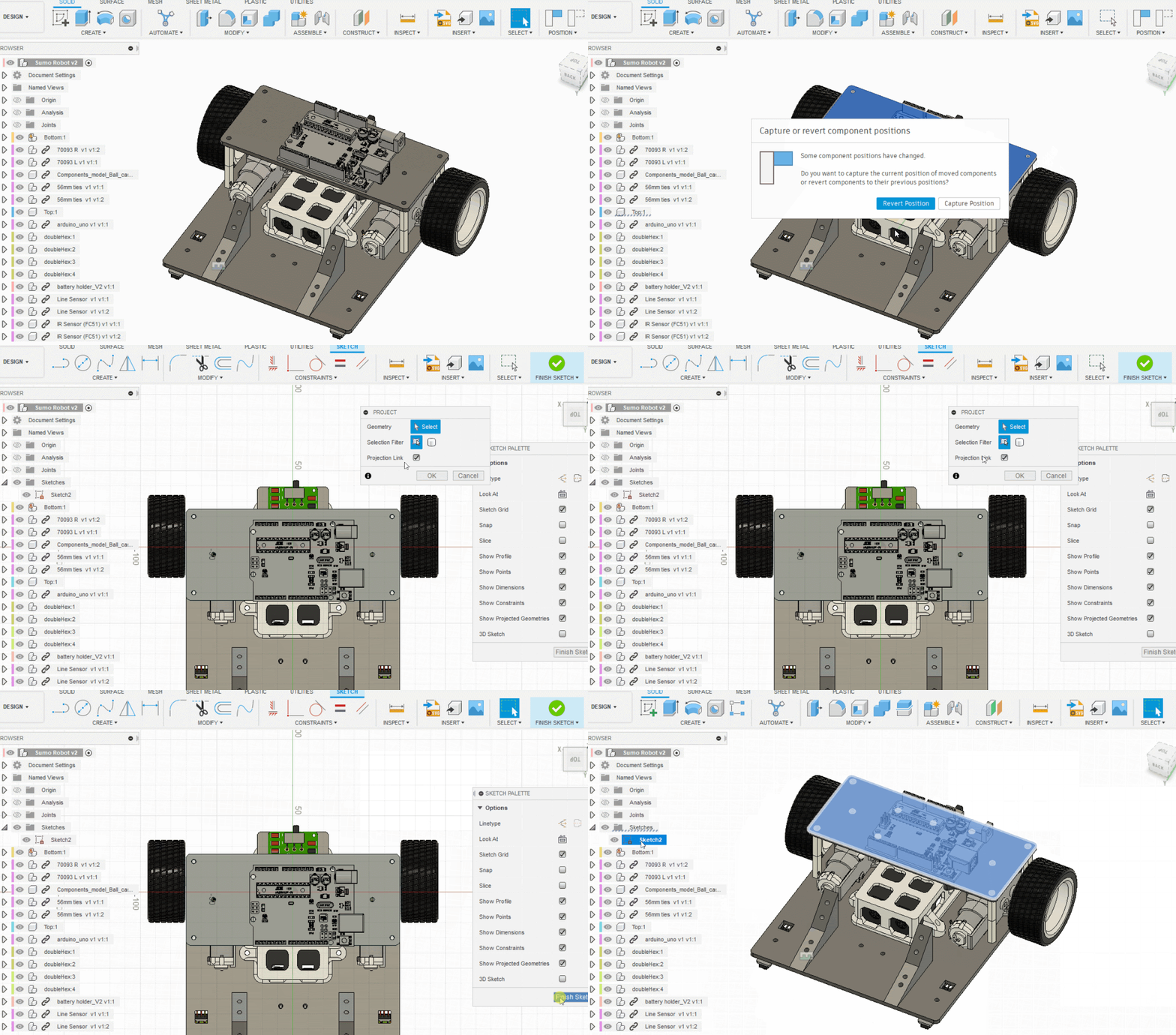
- Make sure the timeline marker—the small black dot—is at the far right/end of the timeline.
- Make sure no other sketches are visible on the face you want to export. If there are any, select each sketch in the Browser and press
Hto hide it.
- Select the face you want to export, press
P(Project), and then click Finish Sketch. - A new sketch will appear in the Browser on the left.
Step 2
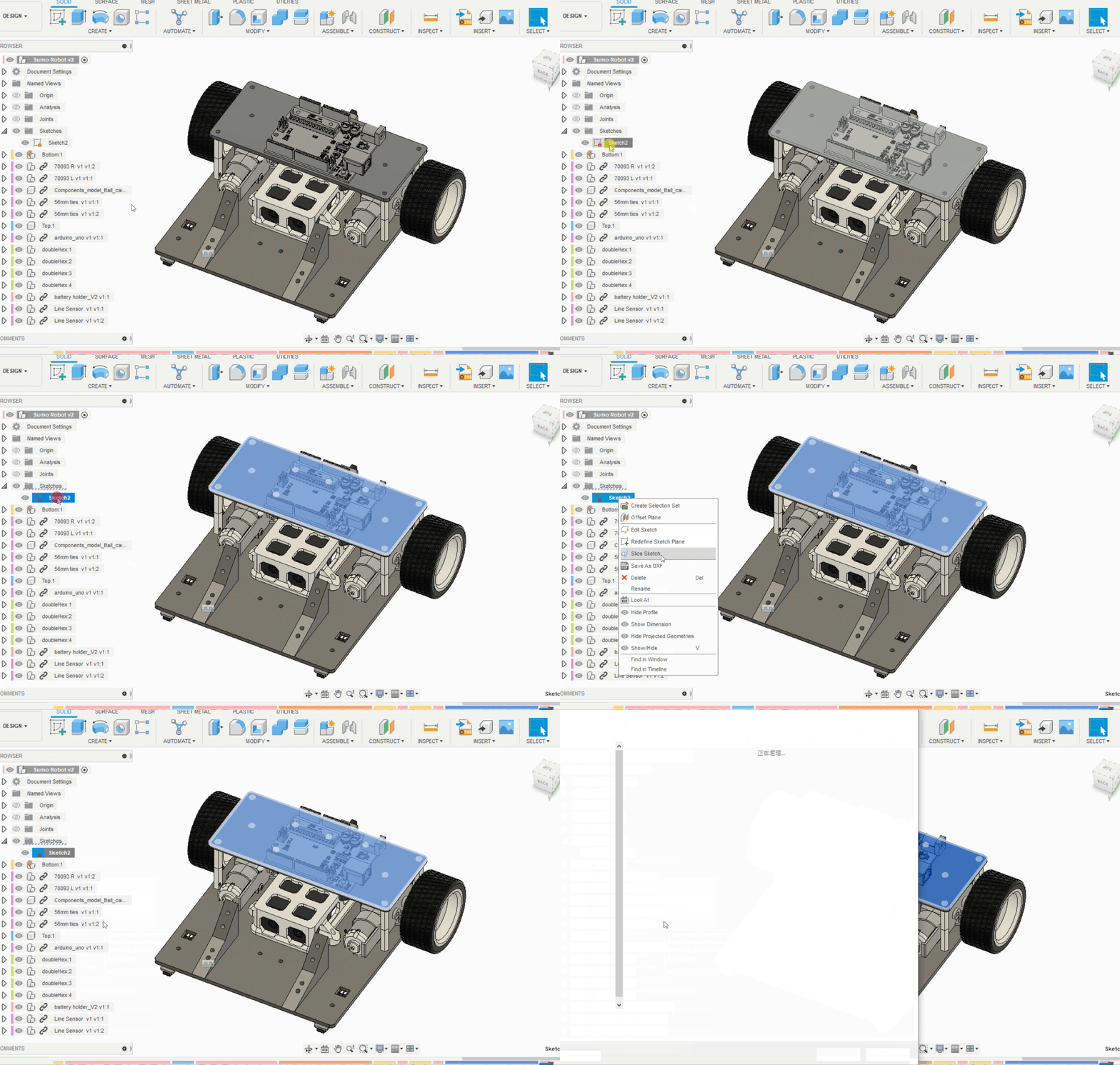
Select the newly created sketch in the Browser, right-click it, and choose Save as DXF.
Common Mistake ❌
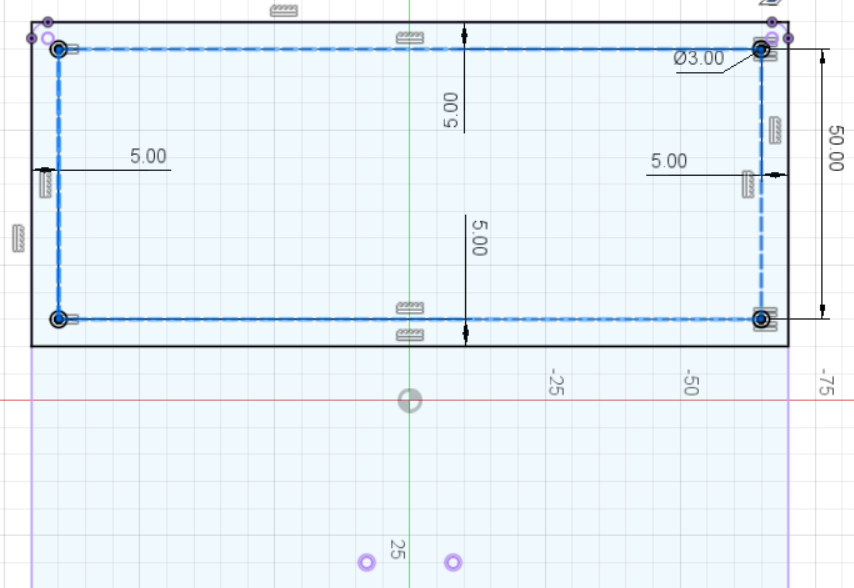
- You can export a DXF from a sketch created during the modelling process—for example, the sketch used for the top plate.
- However, doing so also exports construction lines (blue dashed lines) and projected lines (purple solid lines). This may cause the laser cutter to cut parts that should not be cut.
Correct Example ✔️
💡TIP
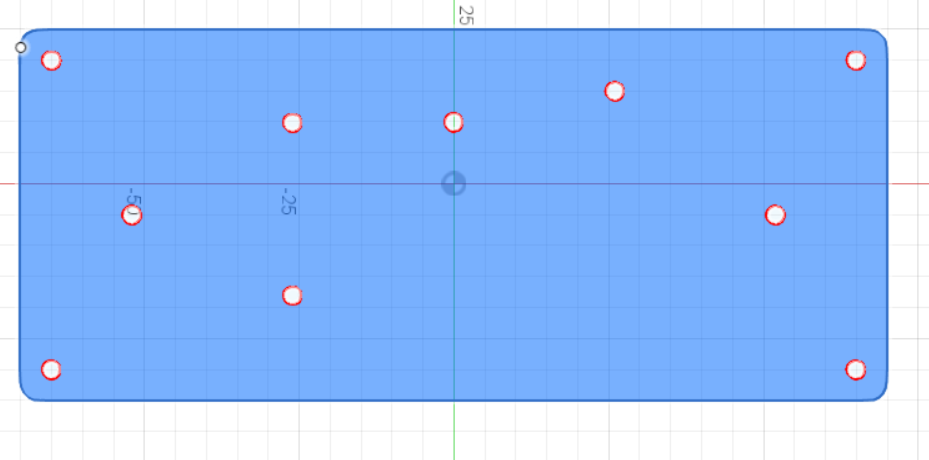
Finish the entire design first. Then follow Step 1 above to project the final face into a new sketch and save that sketch as a DXF.
Exporting an STL or 3MF
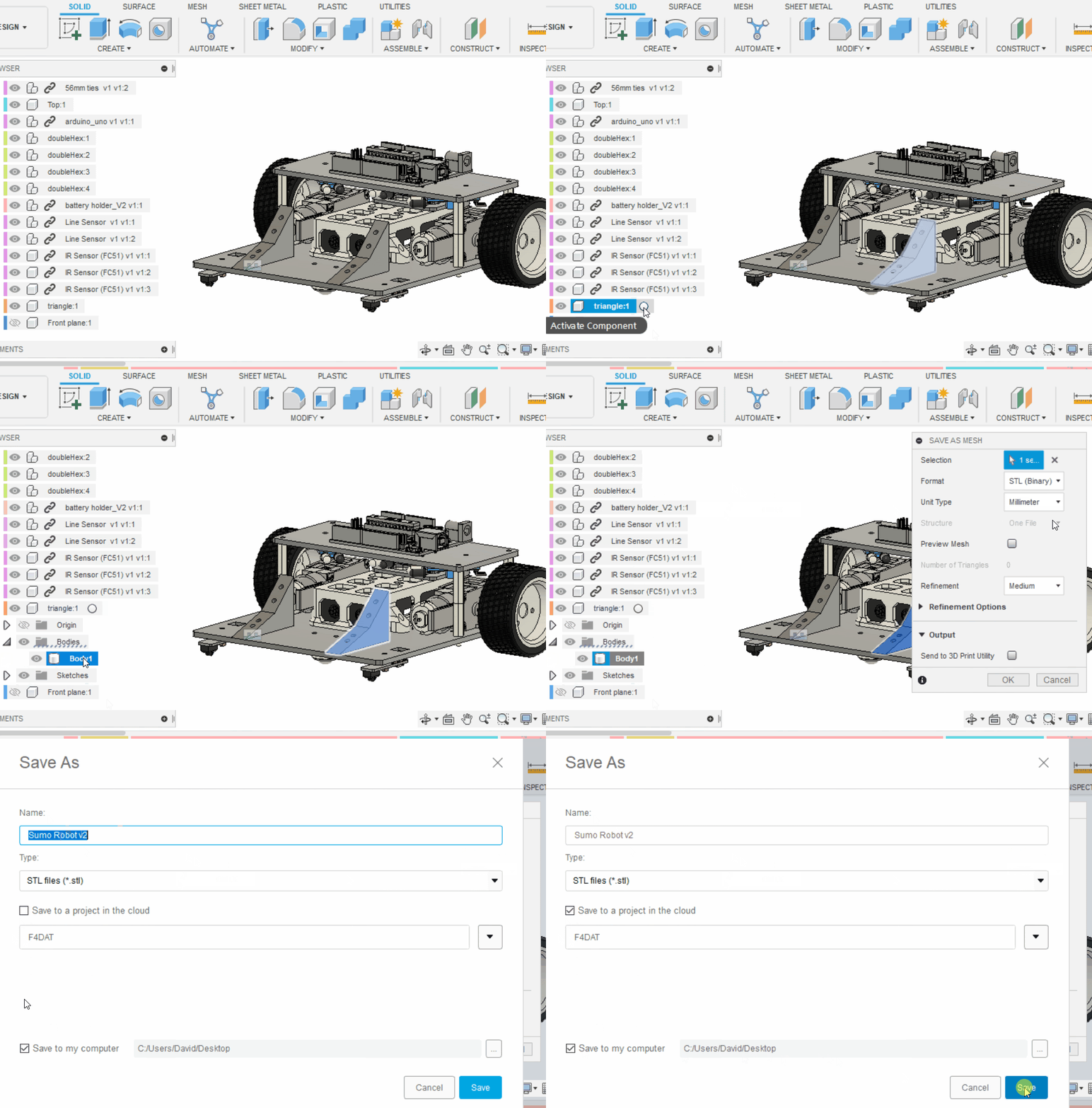
- Exporting an STL or 3MF is simpler than exporting a DXF. Find the object's body in the Browser, right-click it, and choose Save as Mesh.
- A single STL or 3MF file should contain one body for this workflow. Do not export several bodies together as one file.
Special thanks to Mr Chan Long Wai. Original reference
Translation notice: This English page was generated automatically by AI and has not yet been reviewed by a human. It will be checked and revised page by page when time permits.